01 / Inspiration
Inspiration & Shot Cards
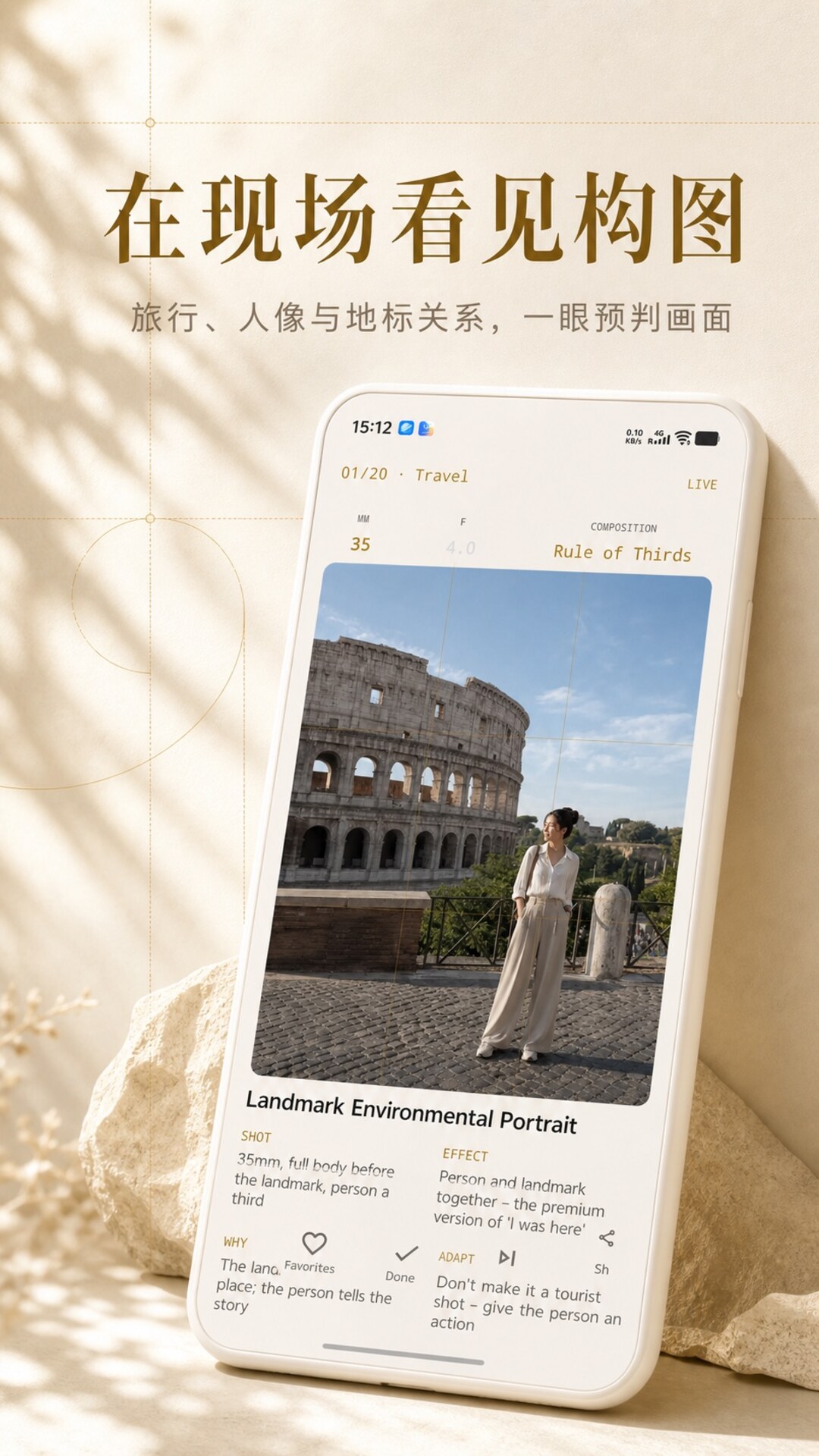
Find an approach first, then press the shutter. Shot cards bring stance, focal length, aperture, distance, composition and intended look together.

 PhotoAssistant
Shot inspiration, composition hints, lighting information and professional photography calculators — all in one dark viewfinder-style interface. Core features work fully offline.
Current access methods and review status for each platform.
The mobile update is ready. Users in China can use the official link or Quark Drive; other users can update through Google Play.
Waiting for the software copyright certificate. HarmonyOS users can follow the APK + EasyGo instructions above.

Scan the QR code or search “摄影现场助手-深焦” in WeChat.
Android 3.8.0 is now live on Google Play. Users in China can update from the official direct link or Quark Drive, while iOS 3.8.0 is live on the App Store.
Download the package and follow the system installation prompt.
Get APK · 3.8.0 Quark Drive backup →Now live on Google Play — install or update to version 3.8.0 directly from the store.
Get it on Google PlayNo signing or sideloading is required — install the latest version directly from the App Store.
Download on the App Store Need sideloading? Get the IPA →If Android blocks the install, enable “Allow installation from third-party apps” (or “Install unknown apps”) in Settings. Some devices may require a temporary network disconnect before retrying.
An IPA cannot be installed directly on iPhone. Sign it on a desktop with tools such as 爱思助手 or 全能签, then install it to the device. Re-sign it after the certificate expires.
Six scenes covering every step — before, during and after the shoot.
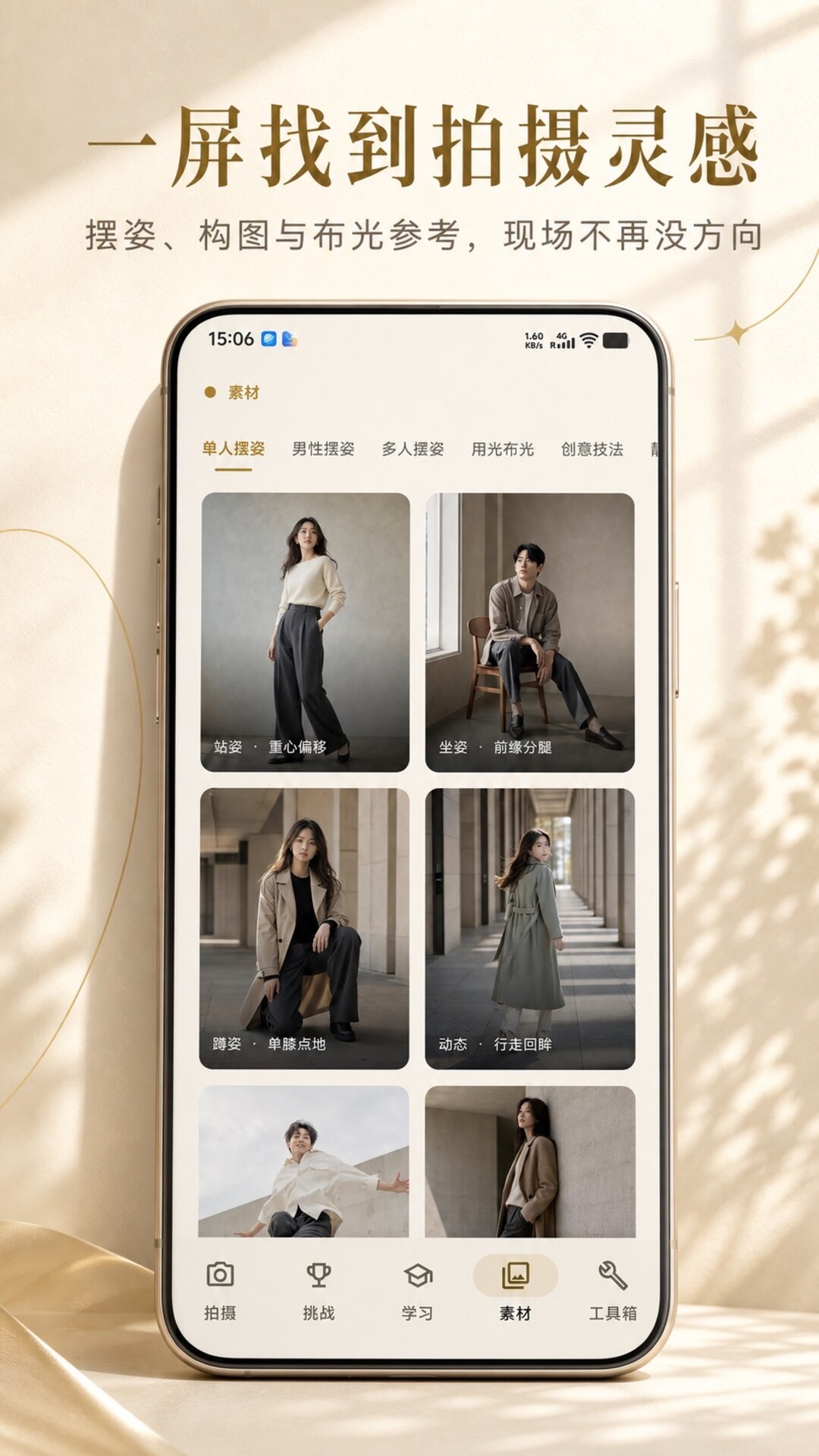
17 shooting categories and shot cards for posing, composition, focal length, image look and lighting — plus parametric composition preview and saved references.
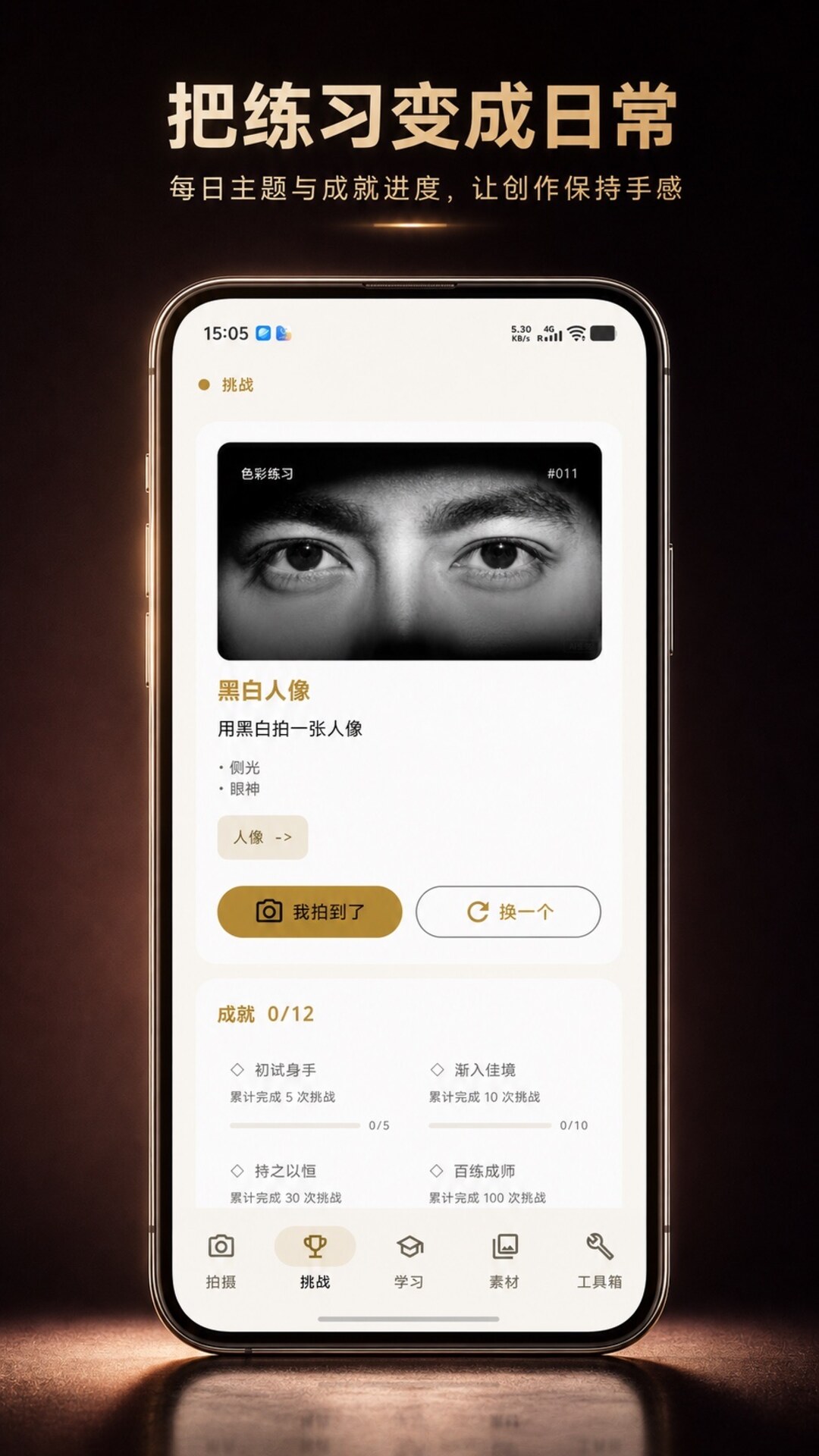
90 built-in themes, random prompts, capture check-ins and achievement progress make “what should I shoot today?” easy to answer.
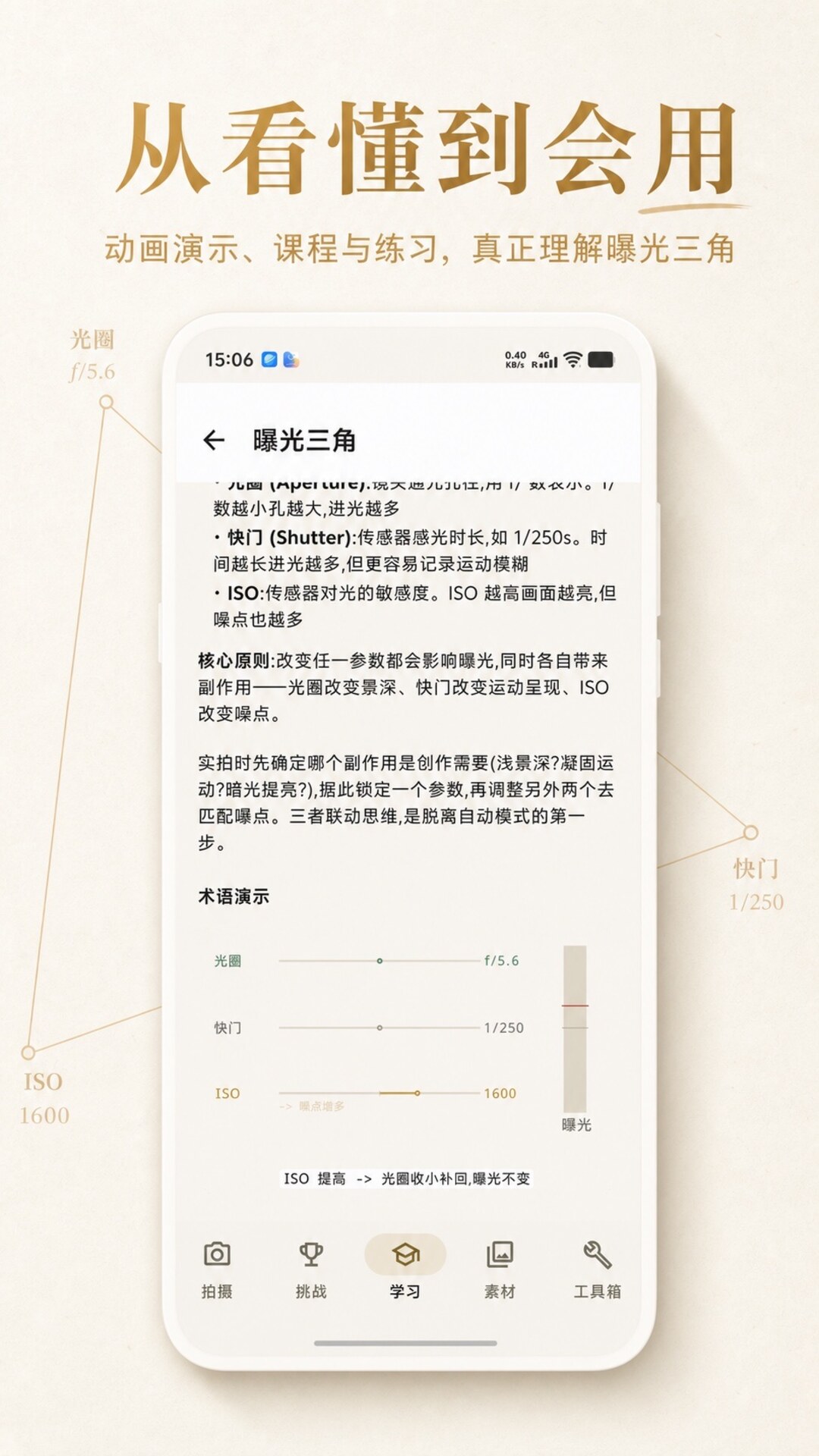
44 lessons in 8 chapters with 34 Canvas animations — grasp the exposure triangle, depth of field and metering.
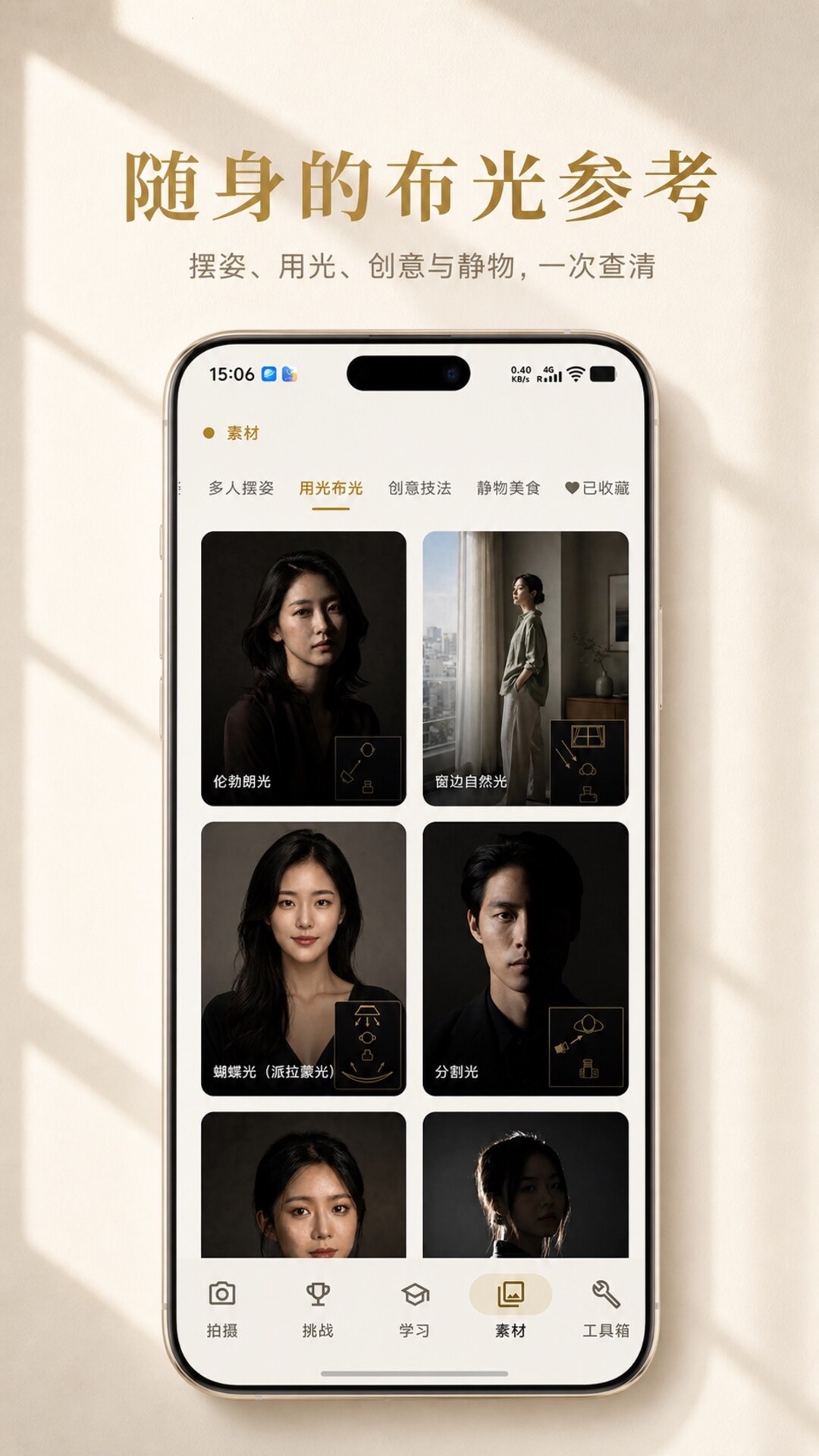
107 pose, portrait-lighting, creative-technique and still-life references — with large views, key details and favourites.
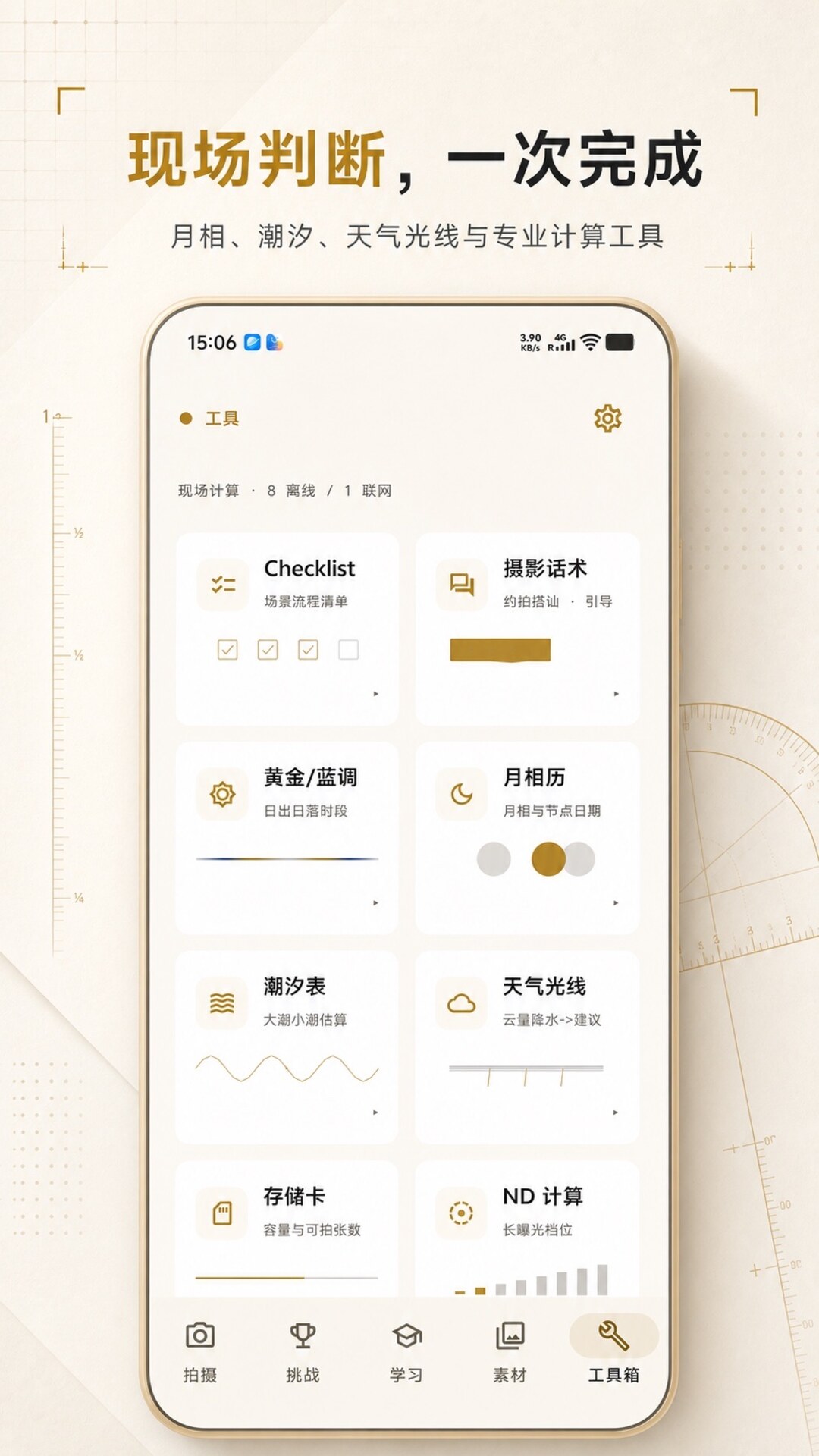
Moon phase, tide and weather light; storage, equivalent focal length, depth of field, ND long exposure and accumulated exposure — ready when you need them.
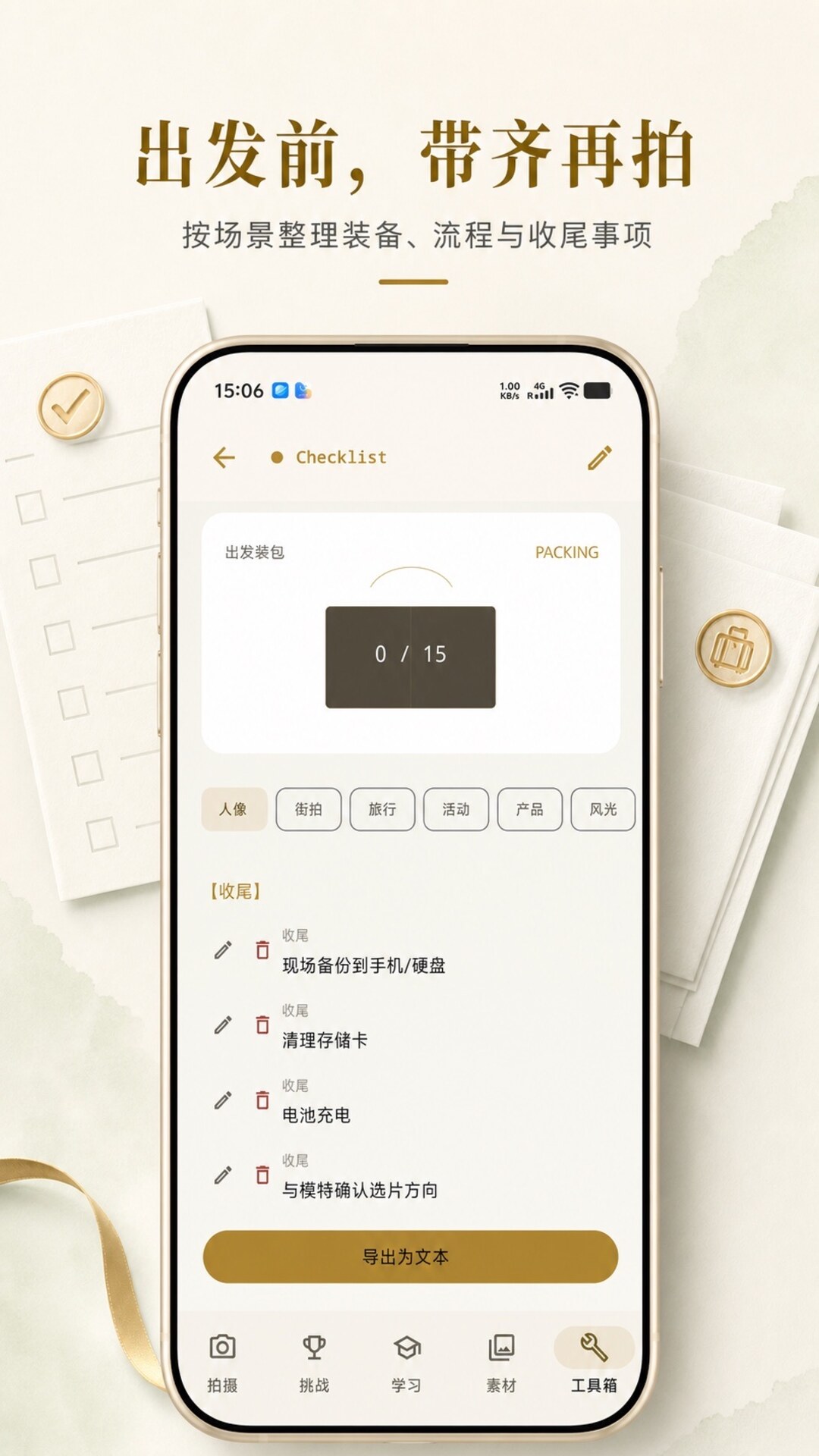
Gear, setting, workflow and wrap-up checklists for portrait, street, travel, event, product and landscape shoots — including useful shooting talk lines.
More than a set of tools: inspiration, practice, conditions and shoot preparation each have a focused on-site page.
Find an approach first, then press the shutter. Shot cards bring stance, focal length, aperture, distance, composition and intended look together.
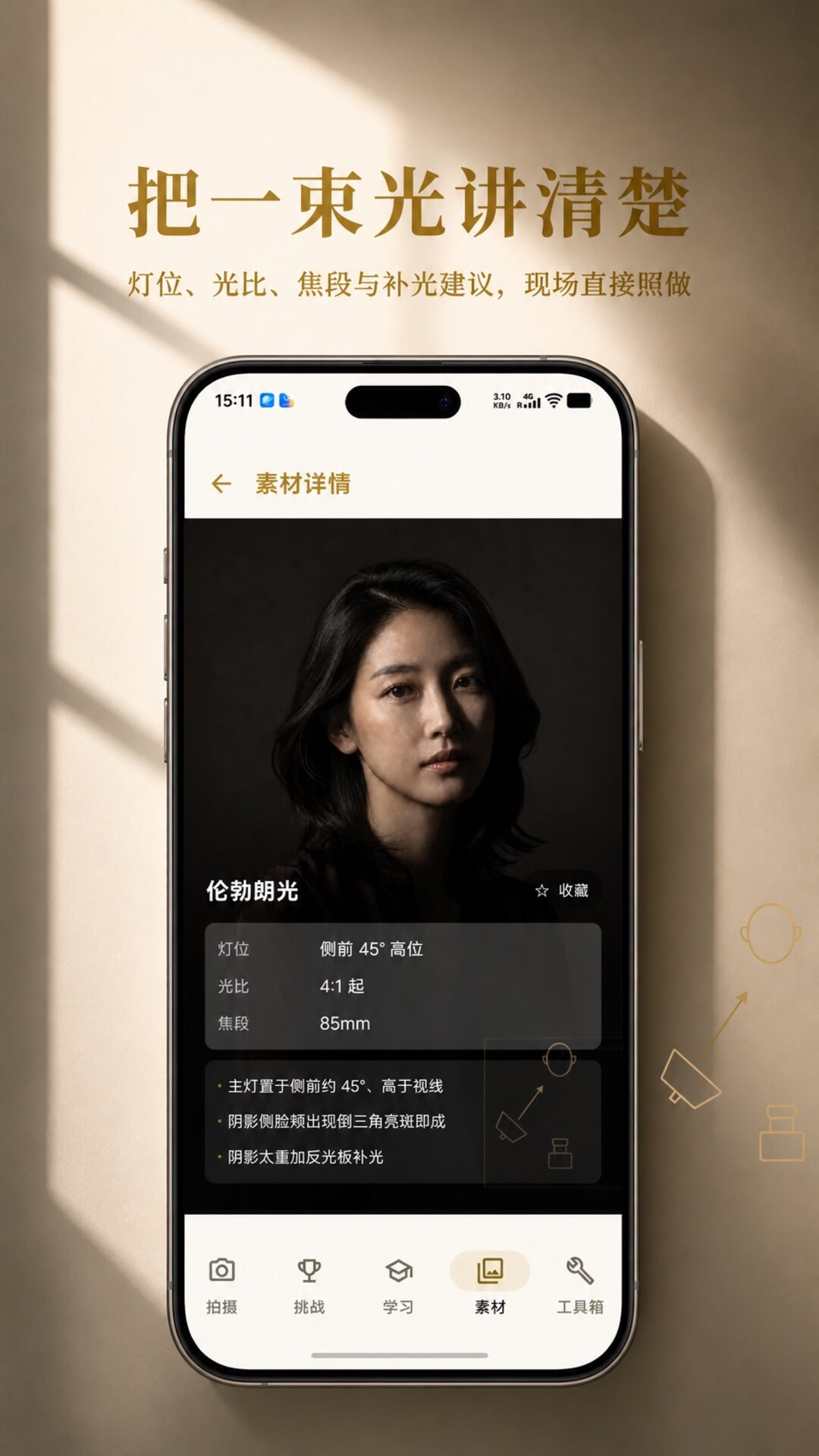
From Rembrandt lighting to window light, check placement, ratio, focal length and fill guidance directly; poses and creative references are there too.
Daily challenges answer “what should I shoot today?” while 44 lessons in 8 chapters and 34 animated demos unpack exposure, depth of field, metering and setting changes.
Moon phase, tide, weather light and golden or blue hour help decide when to leave; depth of field, ND, equivalent focal length and storage settle the settings.
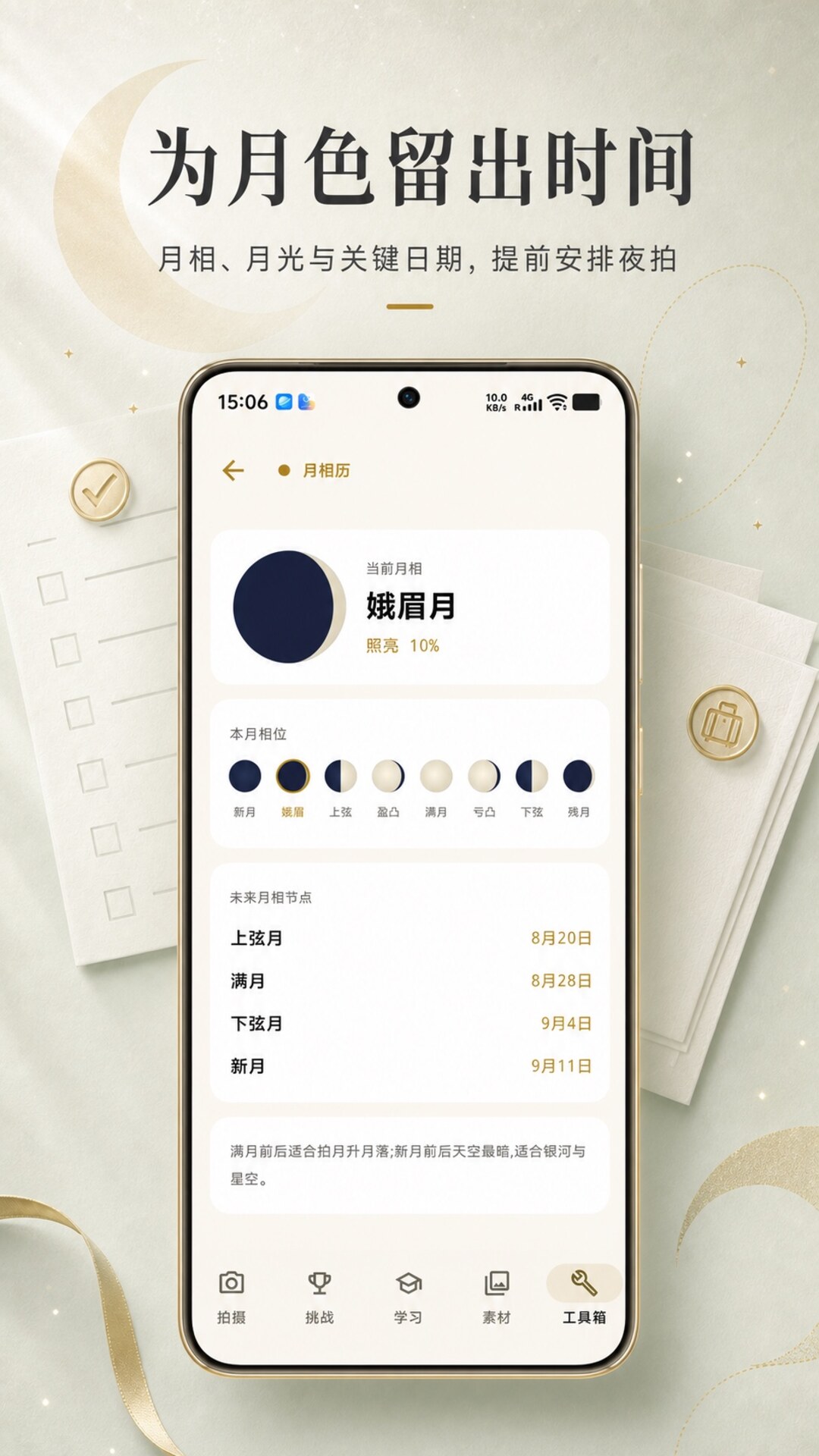
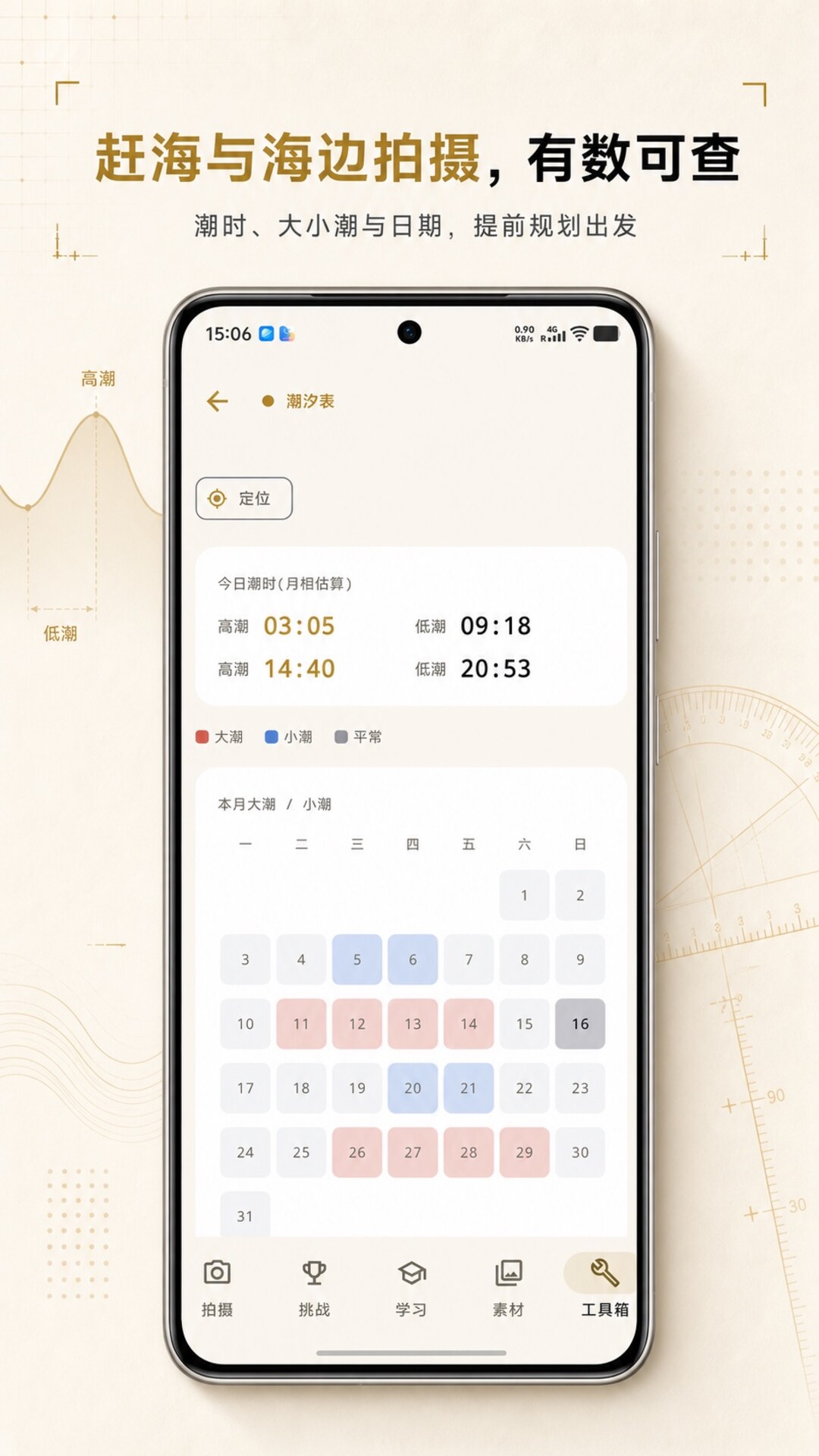
Organise gear, settings, workflow and wrap-up by shooting scenario. Opening, directing and closing talk lines are available on location, too.

Dark viewfinder HUD design language with warm gold scales and monospace readings.
Rule of thirds, leading lines and more — visualized before you press the shutter.
Location-based sunrise, sunset and best shooting windows, with local notifications.
Combines location and live weather to suggest the best shooting light of the day.
Scenario-based checklists for gear, settings, workflow and wrap-up.
Composition, exposure, focal length, light, filters and color — with visual demonstrations.
Android, iOS, HarmonyOS and WeChat Mini Program — one consistent viewfinder experience.